
How and why I built Clarity UX
The problem was not that product teams lacked artifacts. The problem was that the artifacts stopped talking to each other.

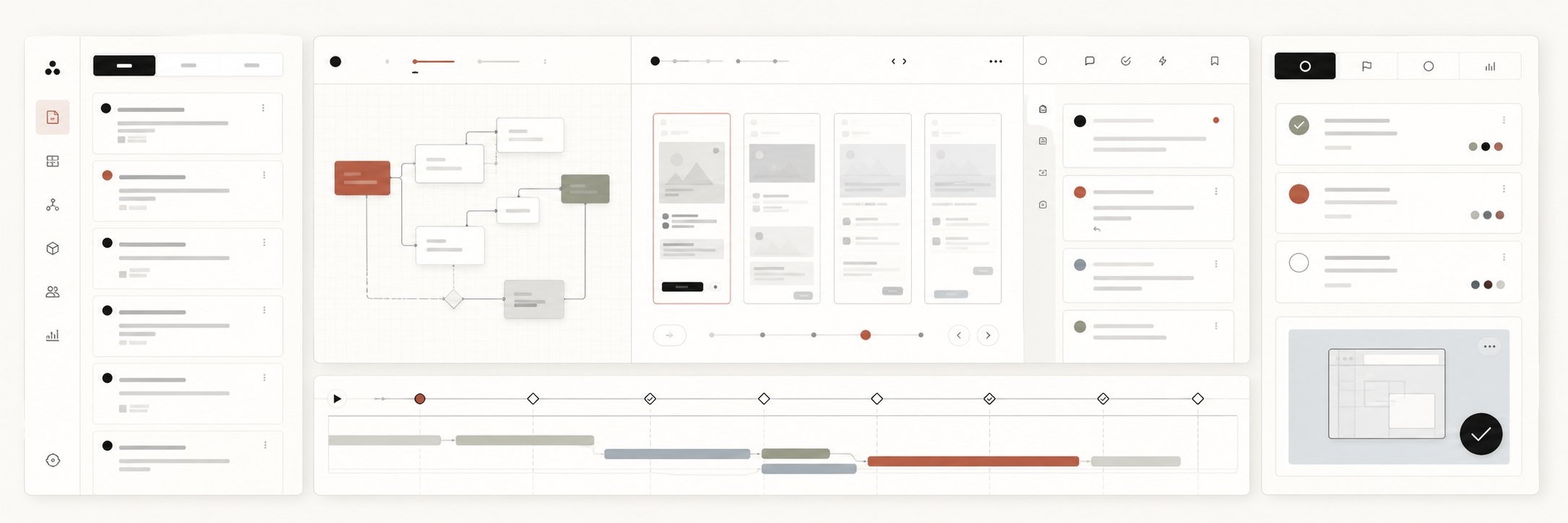
I built Clarity UX because the messy middle of product development is where good decisions most often lose their evidence.
On a healthy team, a PRD carries intent, Linear carries execution state, design carries flow and screen behavior, comments carry critique, and prototypes carry the shape of what will be built. In practice, those artifacts drift apart. The decision lives in one place, the reason lives somewhere else, and the person doing the next step has to reconstruct the thread by memory.
Clarity UX is a private AI-native product operating system for that gap. The public page describes it plainly: PRD to prototype with humans and agents. It pulls PRD and Linear requirements into a central workspace where people and agents create flows, wireframes, comments, decisions, and prototype-ready instructions.
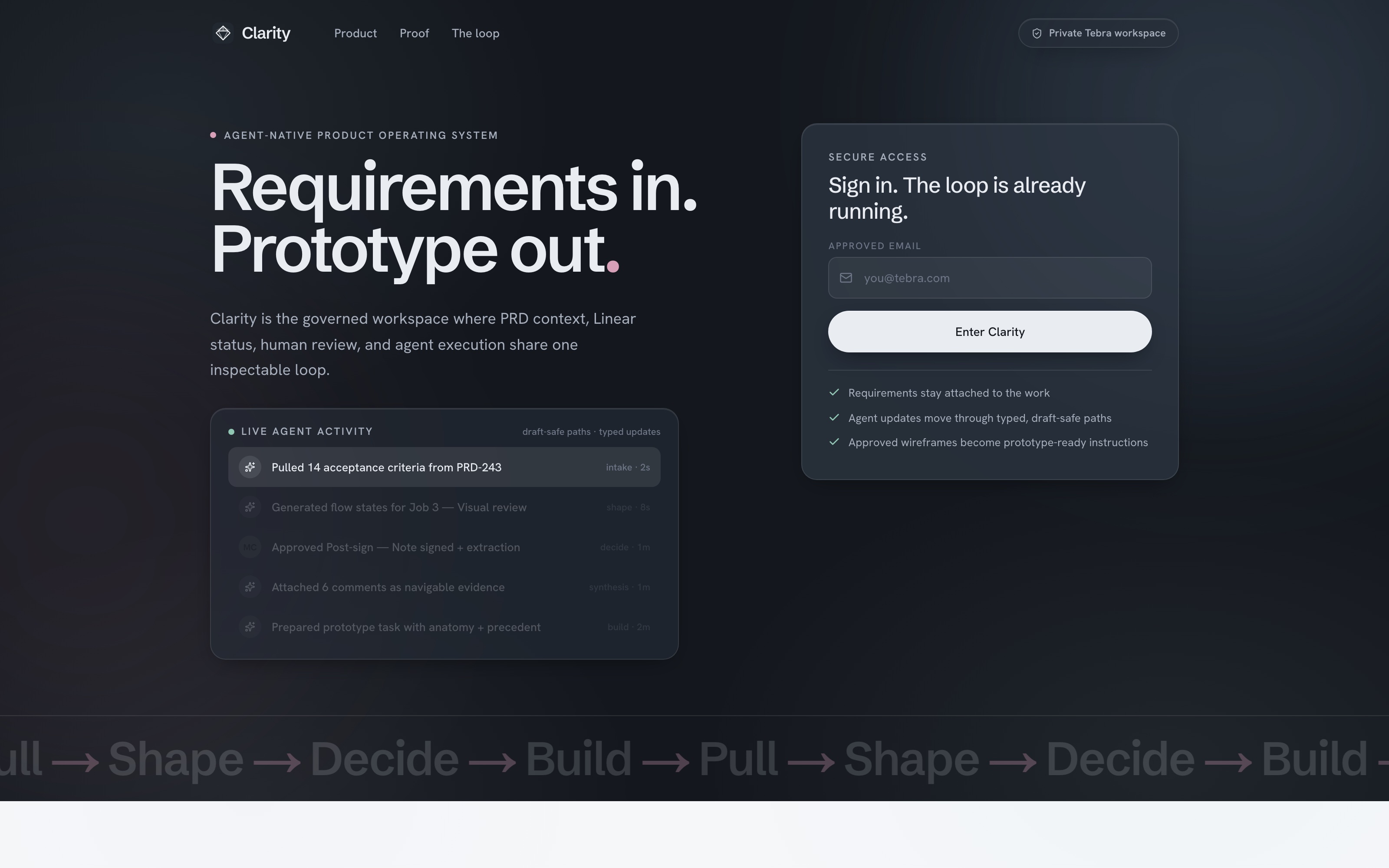
The operating loop: Pull, Shape, Decide, Build
The product is organized around a four-step loop because I wanted the workflow to be legible before it was powerful.
- Pull: bring requirements, PRD context, Linear status, acceptance criteria, and source evidence into the same surface.
- Shape: turn fuzzy intent into flows, wireframes, annotations, and reusable product patterns.
- Decide: keep feedback attached to the screen evidence so decisions are fast, inspectable, and reversible.
- Build: send approved work forward with enough anatomy, precedent, and trust state for an agent to start cleanly.
That sequence sounds simple because it should. AI-native workflows become fragile when the human operating model is vague. If a designer, PM, engineer, or agent cannot explain where a decision came from, the system is moving too fast for its own accountability.
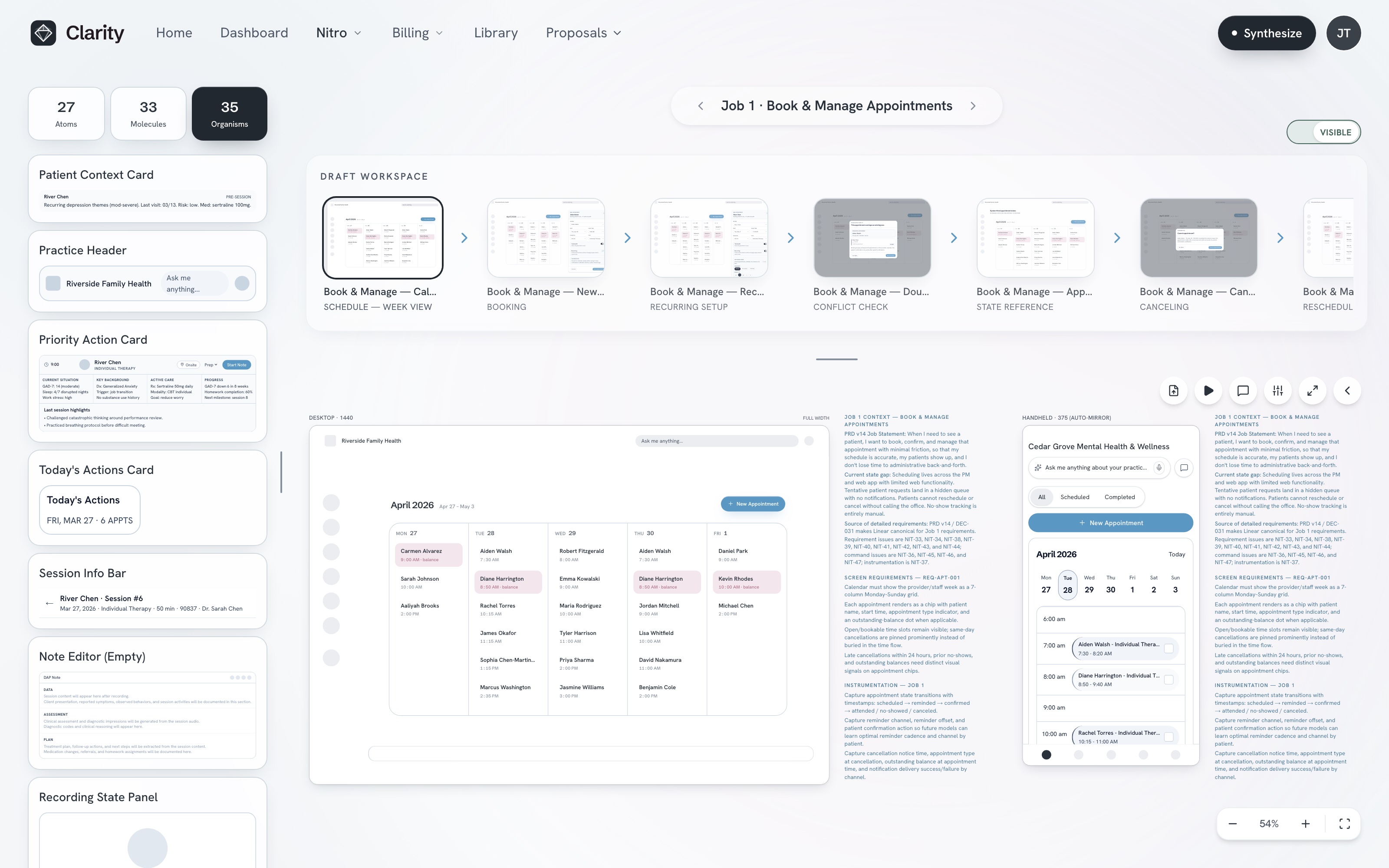
The product brain should be visible. Requirements, screens, comments, and handoff should not require archaeology.
What Clarity keeps attached
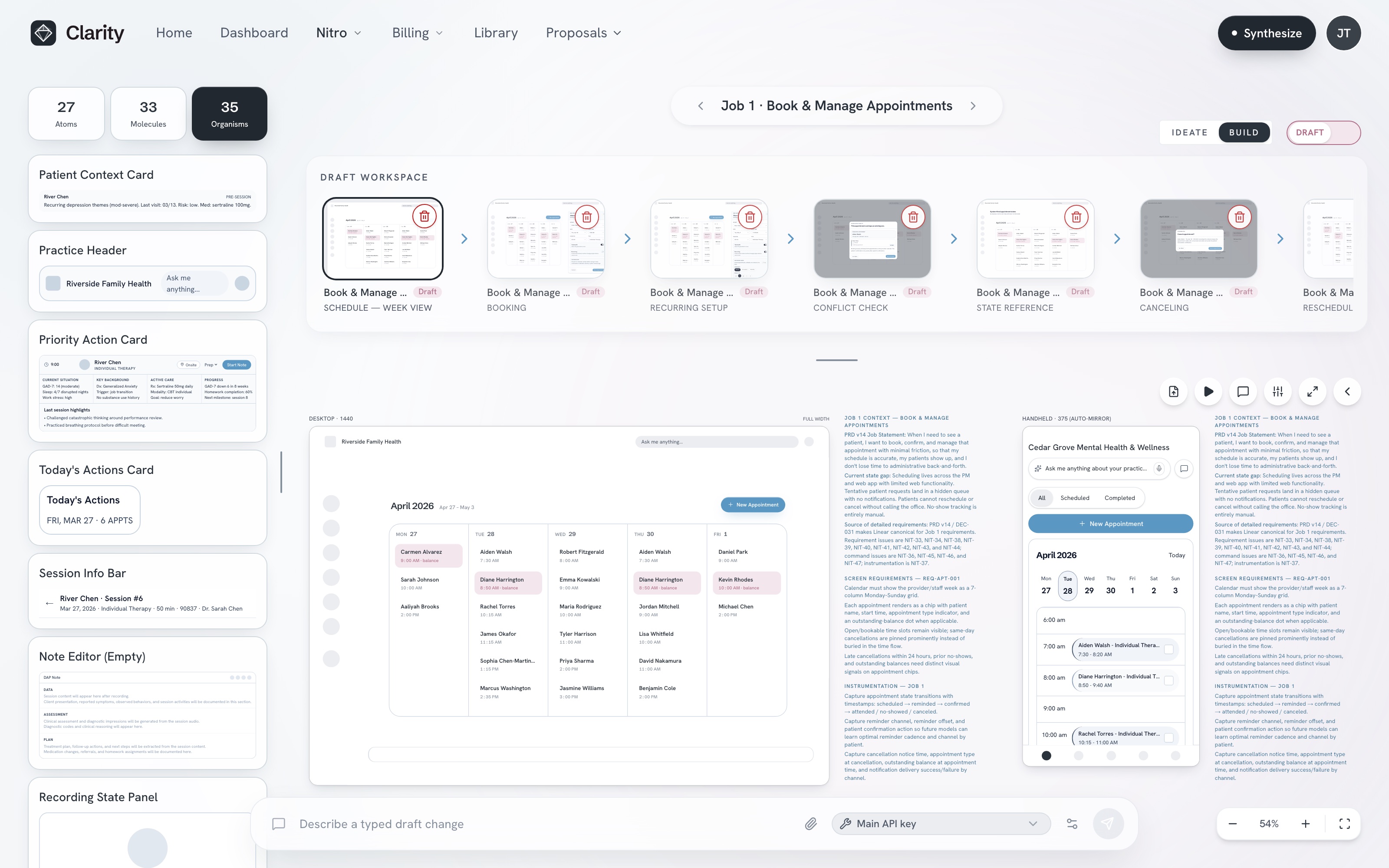
The most important design choice is attachment. Requirements stay attached to the work. Comments stay attached to the screen. Decisions stay attached to the thread that produced them. Approved wireframes become prototype-ready instructions instead of a screenshot dropped into a ticket.
Clarity makes that visible through the Review Synthesis surface: comments pinned to exact screen coordinates, filterable by job, screen, component, or intent, with synthesis turning them into recommended actions that wait in a decision queue for a human call. Those are not just UI features. They are trust features.
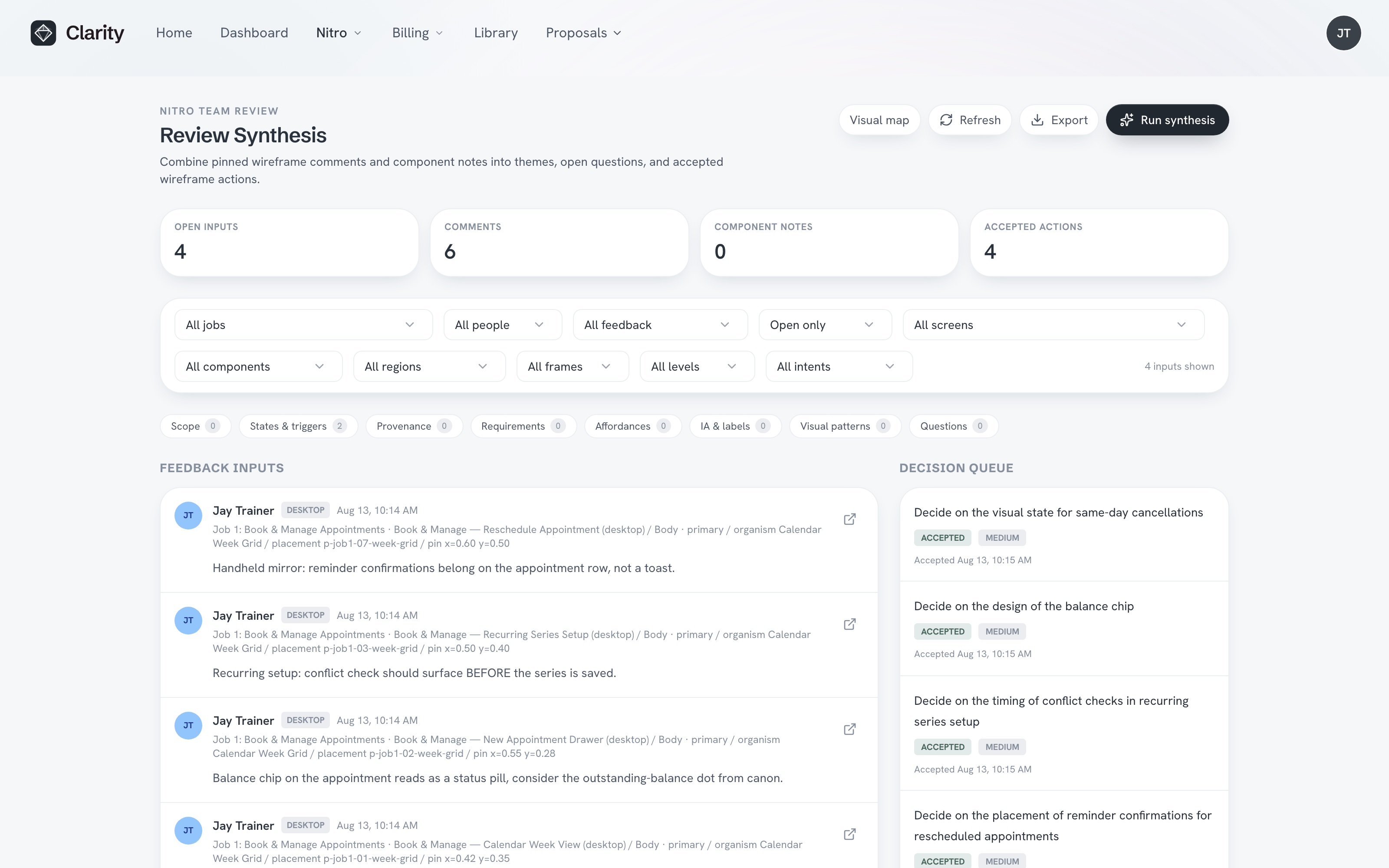
A comment that says "this is confusing" is useful for about ten seconds. A comment that stays pinned to the exact UI moment, with contributor context and decision state, can shape a better product. It can also help an agent understand what not to flatten when it moves from design intent to implementation.
Why I built it for humans and agents together
I do not think product teams need AI to replace product judgment. I do think AI can remove a lot of the translation work that makes teams slow: summarizing requirements, generating first-pass flow states, preparing prototype tasks, synthesizing comments, plus finding gaps between acceptance criteria and screens.
But that only works if the tool is designed around human accountability. In Clarity, the AI-native part is not "generate screens and hope." It is a shared workspace where agents can help draft, organize, prepare, while humans decide what is ready.
That distinction is central to how I lead AI-native product work. AI proposes. Experts decide. Systems own facts. In Clarity, that means agents can support the path from PRD to prototype, but the product keeps decisions inspectable and reviewable.
The design problem behind the design tool
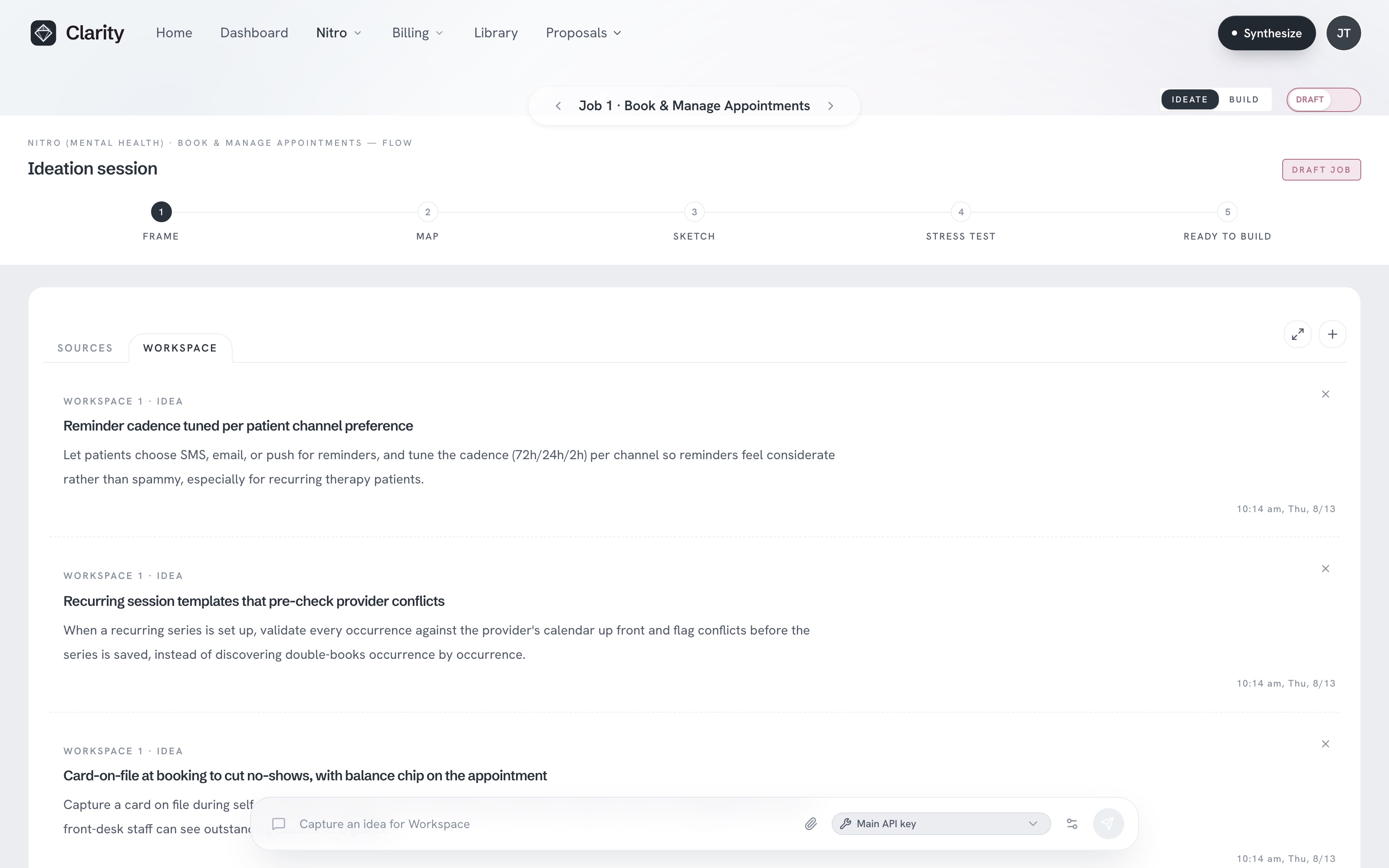
The hardest part of building Clarity was not making a slick interface. It was deciding what the interface should refuse to hide.
Most product tools are optimized around the artifact they own. Docs own text. Ticketing tools own tasks. Design tools own screens. Prototypes own interaction. Clarity is organized around the decision surface between them. That forced a different set of questions:
- What does a reviewer need before opening a thread?
- How do we expose coverage, volume, contributors, or hotspots without creating noise?
- How should a team trace critique back to the exact screen state?
- What makes an agent handoff trustworthy enough to execute?
- What should remain draft-safe until a human approves it?
The answer was a restrained interface with visible proof points: requirement intake, mapped acceptance criteria, generated flow states, wireframes, comments in context, approval, plus prototype generation. Each step has a place. Each place has a state.
What product teams can borrow
- Treat design feedback as evidence, not chatter.
- Keep decisions attached to source screens and requirements.
- Make approval states visible before agent handoff.
- Use AI to prepare and synthesize, not to erase accountability.
- Design the operating loop before adding more automation.
Clarity is specific to my work, but the lesson is portable. If your team is using AI in product development, the first question is not which model to use. It is where the evidence lives, who can inspect it, and what state the work is in before it moves forward.
When that is clear, AI can help a team move faster without becoming looser. When it is unclear, speed becomes a liability.
FAQ
What is Clarity UX?
Clarity UX is a private AI-native product operating system that connects PRD context, Linear requirements, flows, wireframes, comments, decisions, plus prototype handoff.
Why did I build Clarity UX?
I built it to keep the product brain visible. Product teams lose time and judgment when requirements, screens, comments, and decisions drift into separate tools.
How does Clarity UX help product designers?
It gives designers a source-backed review surface where critique stays attached to the screen, decisions remain traceable, and approved work can move into prototyping cleanly.
How does Clarity UX help PMs and engineers?
PMs get clearer requirement coverage and decision trails. Engineers get prototype-ready instructions with context, state, precedent preserved.
Is Clarity UX an AI replacement for design work?
No. It is a human-and-agent workspace. AI helps draft, organize, synthesize. Humans review, approve, stay accountable for product judgment.

Jay Trainer
Design Leader
Design executive focused on AI-native healthcare workflows and UX research, with product design leadership and design systems, plus human-in-the-loop product development.